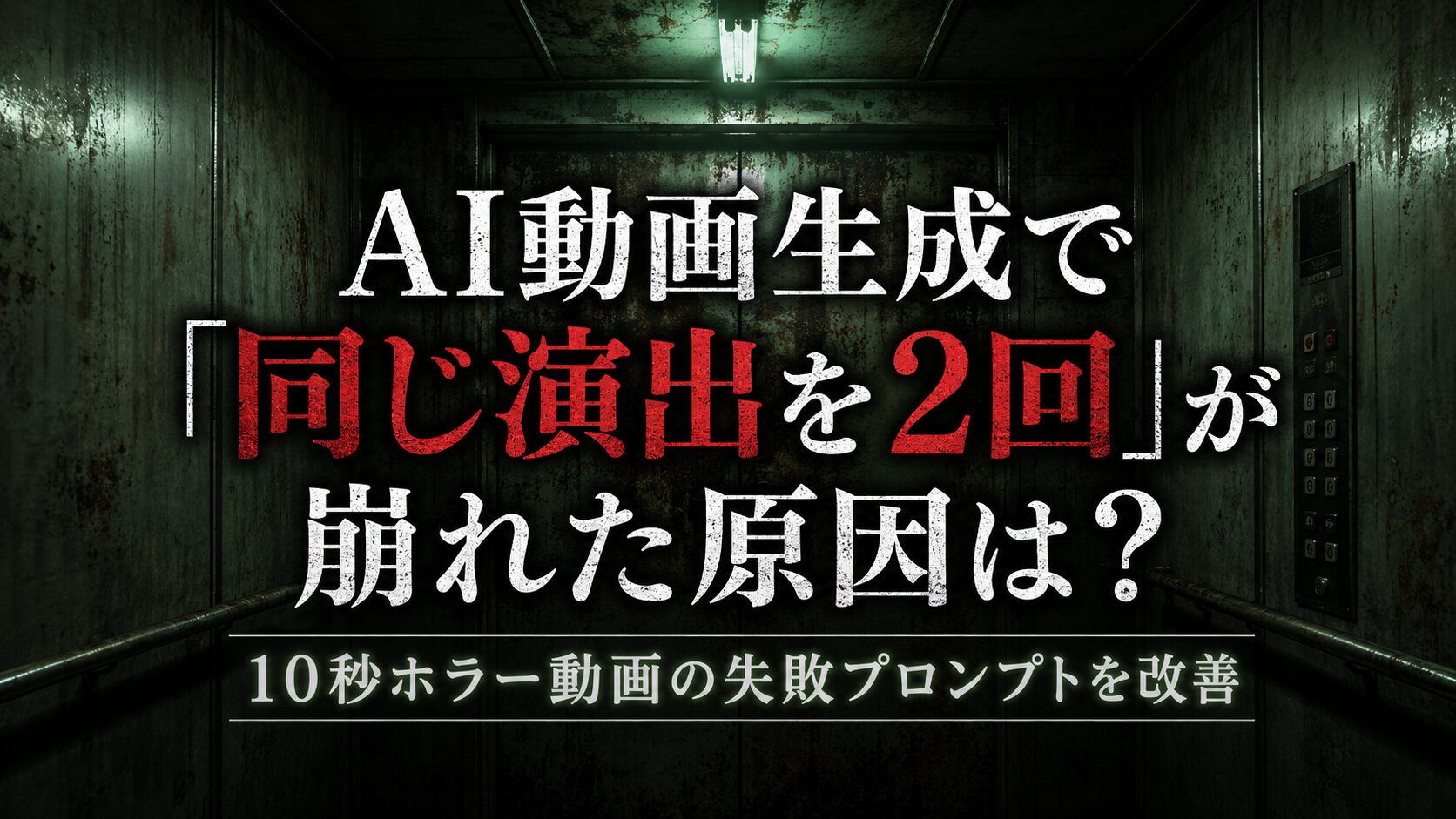
AI動画生成では、場面や演出を細かく書けば、必ず思いどおりの映像になるとは限りません。
今回は、古いエレベーターの扉が閉まりかけて再び開く、というホラー映像を生成するために作成したプロンプトを例に、失敗しやすい原因と改善方法を紹介します。
今回使用したプロンプト
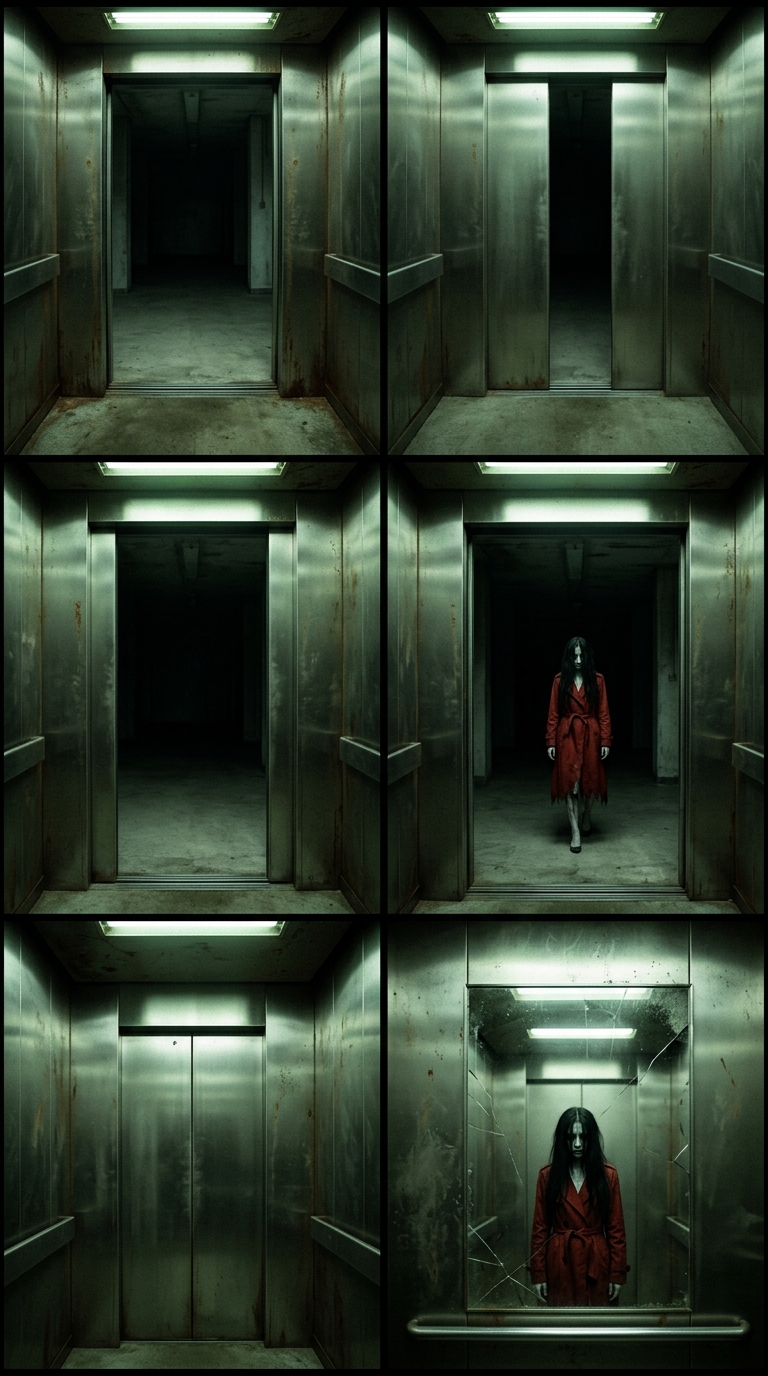
Generate a 10-second first-person POV video based on the first half of the provided storyboard grid.

Scene: Inside a cramped, rusted 1980s Japanese elevator with grimy stainless steel walls.
Action: The POV steps into the elevator. The overhead fluorescent light stutters and flickers with a sickly green tint. The elevator doors attempt to slide shut with a loud metallic screech, but they jerk to a stop halfway and slowly slide back open to reveal a dark, empty concrete hallway. The hallway is completely silent and desolate. This malfunction happens twice, with the tension increasing each time.
Style: Cinematic Japanese horror, gritty film grain, high contrast shadows, atmospheric.
Audio: Flickering light buzz, low humming motor, loud metallic scraping of doors, heavy breathing, a dull mechanical thud when the doors stop.内容としては、次のような10秒動画を想定しています。
- 一人称視点で古いエレベーターに入る
- 蛍光灯が点滅する
- 扉が閉まりかける
- 扉が途中で止まる
- 扉が再び開く
- 同じ故障がもう一度起きる
文章だけを見ると、かなり具体的に指定しているように見えます。
しかし、実際にはAIが演出の順番を正しく処理できず、扉の動作が不自然になったり、2回目の故障が省略されたりする可能性があります。
失敗しやすいポイント1:10秒に対して動作が多すぎる
今回の大きな問題は、10秒という短い時間に複数の動作を入れすぎていることです。
プロンプトには、次の動きが含まれています。
- エレベーターに入る
- 蛍光灯が点滅する
- 扉が閉まる
- 扉が途中で停止する
- 扉が開く
- もう一度閉まる
- もう一度停止する
- もう一度開く
これだけの動作を10秒に収めようとすると、一つひとつの動作に使える時間が短くなります。
AIが時間配分を正しく判断できない場合、扉が急に開閉したり、途中の動作が省略されたりします。
特に、同じ動作を2回繰り返す演出は、短い動画では崩れやすい要素です。
失敗しやすいポイント2:「2回起きる」だけでは順番が曖昧
プロンプトには、次の一文があります。
This malfunction happens twice, with the tension increasing each time.日本語にすると、
この故障は2回起こり、そのたびに緊張感が増していく
という意味です。
人間には意図が伝わりますが、動画生成AIにとっては、少し曖昧な指定です。
たとえば、AIが以下のように解釈する可能性があります。
- 扉が細かく何度も振動する
- 1回目と2回目の動作が重なる
- 扉が閉じたり開いたりを高速で繰り返す
- 2回目の演出が省略される
- 扉ではなく照明の点滅が2回起きる
「同じ現象が2回起きる」と書くだけではなく、1回目と2回目を時間順に分けて書くことが重要です。
失敗しやすいポイント3:「何もない廊下」を強調しすぎている
今回のプロンプトでは、扉の外について次のように指定しています。
a dark, empty concrete hallwayさらに、
The hallway is completely silent and desolate.とも書いています。
この指定自体は問題ありません。
ただし、廊下の説明を強くしすぎると、AIがエレベーターの扉よりも、廊下の描写を優先してしまうことがあります。
その結果、
- カメラが勝手に廊下へ移動する
- エレベーターの外に出てしまう
- 廊下を長く映しすぎる
- 扉の開閉が目立たなくなる
といった問題が起こる可能性があります。
今回の主役は廊下ではなく、閉まらないエレベーターの扉です。
そのため、廊下については最低限の説明にとどめた方が、演出の中心がぶれにくくなります。
失敗しやすいポイント4:カメラの位置が固定されていない
冒頭には、
The POV steps into the elevator.とあります。
しかし、その後にカメラがどこに留まるのかは明記されていません。
AI動画では、人物が歩く動作を指定すると、その勢いのままカメラが動き続けることがあります。
その結果、
- カメラがエレベーターの奥に進みすぎる
- 扉が画面に入らない
- 急に振り返る
- 廊下側を向いたまま固定されない
といった問題が起こります。
エレベーターに入ったあとは、
カメラは扉の正面で停止し、その位置を維持する
と指定する必要があります。
失敗しやすいポイント5:音のタイミングが指定されていない
音については、以下の要素が書かれています。
- 蛍光灯のノイズ
- モーターの低い音
- 金属がこすれる音
- 呼吸音
- 扉が止まる衝撃音
ただし、どの場面でどの音が鳴るのかは指定されていません。
そのため、AIによっては最初からすべての音を重ねたり、扉が止まっていない場面で衝撃音を鳴らしたりする可能性があります。
音についても、映像と同様に時間順で書くと改善しやすくなります。
改善方針
今回のプロンプトを改善するため、次の点を明確にします。
- 動作を秒数ごとに区切る
- カメラ位置を固定する
- 1回目と2回目の故障を別々に書く
- 扉の動作を具体的に書く
- 廊下に人物を出さない
- 不要なカメラ移動を禁止する
- 音が鳴るタイミングを指定する
- 10秒に収まるように動作を整理する
改善後のプロンプト例
Create a 10-second cinematic first-person POV Japanese horror video.

Location:
Inside a cramped, aging Japanese elevator from the 1980s. The elevator has dirty stainless-steel walls, rust around the door frame, scratched metal surfaces, and a weak overhead fluorescent light with a pale green tint.

Camera:
First-person POV. The camera takes one small step into the elevator, then stops completely facing the closed elevator doors. Keep the camera inside the elevator for the entire video. No camera cuts, no sudden turning, no movement into the hallway.

Timeline:

0-2 seconds:
The POV steps into the elevator and stops facing the doors. The overhead fluorescent light flickers twice. A low electrical buzz and quiet elevator motor hum can be heard. Subtle heavy breathing is audible.

2-5 seconds:
The elevator doors slowly begin to close with a harsh metallic scraping sound. When the doors are halfway closed, they suddenly stop with one dull mechanical thud. After a short pause, the doors slowly slide fully open again. A dark and empty concrete hallway is visible outside. No person, ghost, shadow, or movement is present in the hallway.

5-9 seconds:
The doors attempt to close for a second time, slightly faster and louder than before. The fluorescent light flickers more violently. The doors stop halfway again with a stronger metallic thud, briefly shake, then slowly reopen.

9-10 seconds:
The doors remain open. The empty hallway stays completely still. The motor hum stops, leaving only the fluorescent buzz and the POV character’s breathing.

Visual style:
Realistic cinematic Japanese horror, restrained supernatural atmosphere, gritty 1980s film grain, high-contrast shadows, dirty industrial textures, dim sickly green fluorescent lighting, slow tension, natural physical door movement.

Audio:
Synchronize each sound with the action. Fluorescent buzzing during light flickers, low motor hum before each door movement, metallic scraping while the doors move, one dull mechanical thud each time the doors stop, and quiet heavy breathing throughout.

Avoid:
No ghost, no woman, no visible person, no creature, no jump scare, no camera cuts, no camera shake, no distorted elevator geometry, no rapidly opening and closing doors, no duplicated doors, no movement down the hallway, no text, no subtitles.改善したポイント
1. 秒数ごとに場面を分けた
改善後は、0〜2秒、2〜5秒、5〜9秒、9〜10秒という形で、動作を分けています。
これにより、
- いつエレベーターに入るのか
- いつ扉が閉まるのか
- いつ停止するのか
- いつ2回目が起きるのか
が明確になります。
AI動画では、文章を長く説明するよりも、時系列を小さく区切った方が演出順を維持しやすくなります。
2. カメラを扉の前で停止させた
The camera takes one small step into the elevator, then stops completely facing the closed elevator doors.と指定しました。
これにより、エレベーターに入ったあと、カメラが勝手に移動し続けることを防ぎます。
さらに、
Keep the camera inside the elevator for the entire video.と書くことで、廊下へ出てしまう動作も抑えています。
3. 1回目と2回目の違いを具体化した
元のプロンプトでは、
2回起きて、徐々に緊張感が高まる
という抽象的な指定でした。
改善後は、2回目について、
- 少し速く閉まる
- 音が大きくなる
- 照明が激しく点滅する
- 扉がわずかに震える
- 衝撃音が強くなる
と具体的に書いています。
「緊張感を高める」と書くよりも、何を変化させて緊張感を高めるのかを指定することが重要です。
4. 幽霊を出さないことを明記した
暗い廊下やホラーという言葉を使用すると、AIが独自判断で人影や幽霊を追加することがあります。
今回は物語の前半なので、まだ女性を登場させない想定です。
そのため、
No person, ghost, shadow, or movement is present in the hallway.と指定しています。
さらに、最後の除外指定にも、
No ghost, no woman, no visible person, no creatureを追加しました。
後半で赤いトレンチコートの女性を登場させる場合でも、前半動画では明確に禁止しておいた方が、ストーリーの順番を守りやすくなります。
それでも失敗する場合は動画を分割する
改善後のプロンプトでも、10秒で扉の故障を2回再現するのが難しい場合があります。
その場合は、無理に1本で生成せず、2つの動画に分割する方法が有効です。
前半動画
- エレベーターに入る
- 照明が点滅する
- 扉が1回閉まりかける
- 途中で止まって開く
後半動画
- 2回目の扉の故障
- 廊下に異変が起きる
- 赤いトレンチコートの女性が現れる
AI動画では、1本の映像に複雑な展開を詰め込むより、1本につき1つの主要な異変に絞った方が成功率は上がります。
5秒ずつに分割する場合のプロンプト
1本目:最初の故障
Create a 5-second first-person POV cinematic Japanese horror video inside an old 1980s Japanese elevator.

The POV takes one small step into the cramped elevator and stops facing the doors. The dirty overhead fluorescent light flickers with a weak green tint.

The metal elevator doors slowly begin to close with a loud scraping sound. When they reach halfway, they suddenly stop with a dull mechanical thud, then slowly reopen.

The dark concrete hallway outside is completely empty. Keep the camera fixed inside the elevator. No ghost, no person, no shadow, no camera cuts.
2本目:2回目の故障
Create a 5-second continuation of a first-person POV Japanese horror scene inside the same old elevator.

The elevator doors are fully open at the beginning. They suddenly attempt to close again, faster and louder than before. The fluorescent light flickers violently.

The doors stop halfway with a heavy metallic thud, shake briefly, then slowly reopen. The hallway outside remains dark, silent, and empty.

Keep the same camera position, elevator design, lighting, and visual style. No ghost, no woman, no person, no camera cuts, no movement into the hallway.
まとめ
今回のプロンプトは、映像の雰囲気や場所の説明は具体的でした。
一方で、10秒という短い時間に対して、
- エレベーターへ入る
- 照明が点滅する
- 扉が2回故障する
- 音を複数入れる
- 緊張感を段階的に高める
という多くの指示が入っていました。
AI動画生成では、説明を増やすだけではなく、演出の順番、時間、カメラ位置、動作回数を明確にすることが重要です。
特に「同じ現象を2回起こす」ときは、
1回目を描写する
一度動作を完了させる
2回目を別の場面として描写する
という書き方が効果的です。
それでも安定しない場合は、1本の動画に詰め込まず、前半と後半に分けて生成した方が、結果的に編集しやすく、狙った演出にも近づけやすくなります。
noteでもAI制作の記録を発信しています
noteでは、AI画像・AI動画を実際に制作する中で分かったことや、プロンプトの失敗例と改善方法、自作ツールの制作記録などを紹介しています。
完成した作品だけではなく、うまくいかなかった点や、どのように修正したのかも含めてまとめています。
AIを使った画像・動画制作に興味がある方は、ぜひnoteもご覧ください。

コメント